
Picture this. It’s the week before Black Friday, and an online retailer has just updated its delivery cutoff. Orders placed after December 18th will no longer arrive before Christmas.
A shopper opens the retailer’s AI chat assistant and asks, “If I order today, will it arrive in time?”. The assistant confidently says yes. It’s relying on last year’s cutoff, unaware that the policy has changed. The shopper orders three gifts, expecting them to arrive before Christmas. Instead, they turn up on December 27th.
The problem wasn’t the assistant’s ability to understand the question or communicate an answer. It was the fact that the information behind its answer was out of date.
Now lets understand why it happened?
To understand why, we need to look at how large language models (LLMs) work.
LLMs learn patterns and information from vast amounts of data during training. But once trained, their knowledge doesn’t automatically update every time the world changes. Nor can they automatically access a company’s internal documents, policies or databases.
This creates two limitations:
Their knowledge can become outdated. A model might know last year’s Christmas delivery policy but have no knowledge of the changes made this year.
They don’t automatically know your business. The latest shipping policy might exist in the retailer’s internal systems, but the model cannot use it unless that information is made available to it.
So, even when an LLM understands a question perfectly, it may not have the information needed to answer it correctly.
What if the assistant could look up the answer instead?
In our example, the correct delivery cutoff already exists. It’s written in the retailer’s latest shipping policy. The assistant doesn’t need to be retrained to learn the new date. It needs a way to find and use the relevant information when answering the shopper’s question.
One option would be to manually provide the latest policy every time someone asks about delivery. But that quickly becomes impractical because a retailer might have thousands of documents covering everything from shipping and returns to refunds and product availability.
Instead, imagine if the assistant could find the relevant information itself. When a customer asks a question, it could look through the retailer’s available information, retrieve the details it needs, and use them to generate an answer.
Another option is that the assistant could retrieve the relevant information on its own, use it to formulate an answer, and do so whenever a question comes in?
This is where Retrieval-Augmented Generation (RAG) comes in play.
What is RAG?
RAG (Retrieval-Augmented Generation) is a technique that combines search + generation.
It has three parts,
First, it retrieves relevant information from your knowledge source (documents, a database, a vector store) and pulls out the passages most relevant to the user’s question.
Then it augments user’s question with the relevant information and forwards it to the LLM model in use.
Lastly, it generates an answer grounded in the source material rather than relying only on what it learned in training.
In a nutshell, RAG first finds the relevant information (Retrieval), then adds it to the input (Augmented), and then generates the answer(Generation).
Key Benefits of RAG:
RAG gives anyone using a large language model (LLM) two key benefits: customization and freshness of information.
#1: Customization. RAG lets a model draw on private or specialized sources, such as a company’s internal documents, without retraining the model. The answers are tailored to your own data.
#2: Freshness. This allows for most relevant and up to date data to show up. LLMs only know what they were trained on, which goes out of date.
With RAG, developers can feed the model the latest research, statistics or news, so responses stay current. And because responses are grounded in retrieved sources rather than the model’s memory, RAG also reduces made-up answers.
How does RAG work, under the surface;
Think back to our retailer’s refund policy example. For an AI assistant to answer questions accurately, it needs to find the latest refund policy before it generates a response.
So how does it do that?
Lets look at this process, step by step;
Step 1: Collect the data
First, the relevant documents are collected. These could include company policies, internal reports, spreadsheets, product documentation or other sources of information.
In the retailer’s example, this would include its latest refund policy.
Step 2: Break large documents into smaller, digestible pieces or “chunks”
Large documents can be difficult to search through as a whole. So, the text is typically split into smaller pieces of information called chunks.
Each chunk is linked back to its original document so the system can trace where the information came from.
For example, the retailer’s refund policy might be split into chunks covering refund eligibility, time limits and exceptions.
Step 3: Build a search index
Once the documents have been broken into chunks, the system organizes them into a search index.
Think of this as a searchable catalogue that helps the system find relevant passages when a question comes in.
The index is prepared in advance, so the system doesn’t have to start from scratch every time someone asks a question.
Step 4: Search for relevant information
Now, if a customer asks, “If I order today, will it arrive in time?”
The system searches the index to find parts that could answer this question. It then ranks the results and selects the most relevant information to pass to the AI model.
To do this, modern RAG systems typically use one of three approaches:
Keyword search
Semantic (vector) search
Hybrid search
Lets look into each of these approaches and what they mean;
Keyword search:
Keyword search looks for exact or closely matching words and phrases in indexed documents.
Take for example, calculations created by finance team in a company. Lets say they have given a revenue metric a very specific name: Net Revenue V2.
If a user asks:
“How is Net Revenue V2 calculated?”
The search engine looks for documents containing the exact metric Net Revenue V2.
However, if the user had searched for only Net Revenue, the search will return information about Net Revenue V1, Net Revenue V2, and Net Revenue V3 incase there are more than one definitions, calculations, and business rules.
This is why the specific keywords in a query matter. In this case, we want information about Net Revenue V2 specifically.
The keyword search is also particularly useful if you need;
Client, product and project names
Invoice numbers and policy IDs
While matching terminology is key and the very first step in the search technique, it is also important to decide which results should appear at the top by ranking retrieved matches.
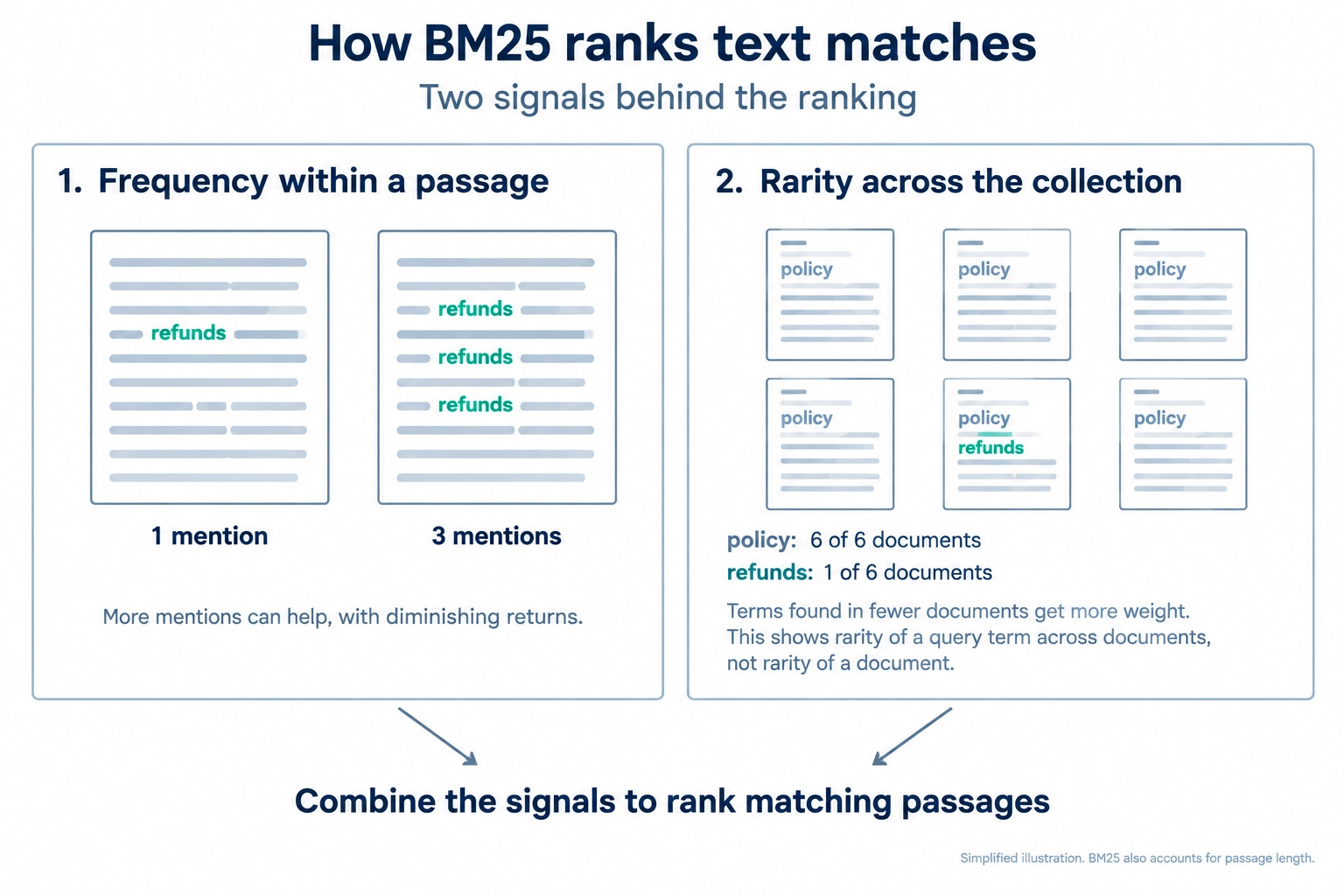
A common ranking algorithm used in keyword search is BM25 (Best Matching 25). It scores documents based on how well their content matches the user’s search query.
BM25 considers three core factors:
Term Frequency (TF): How often a search term appears in a document. In raw term frequency, repeating a word 10 times gives 10 times the weight of using it once. BM25 changes this by applying diminishing returns or saturation. As a term appears more and more times in a document, each extra appearance adds less and less to the final score.
Inverse Document Frequency (IDF): Measures how rare or important a term is across the entire document collection. Rare terms generally carry more weight than common ones.
Document Length: How long the document is compared with the average document length. This helps prevent longer documents from being favored simply because they contain more words.
Where keyword search falls short;
Keyword matching is useful, but finding the right words doesn’t necessarily mean finding the right answer. That’s because it has two key limitations.
1. Finding matching words doesn’t guarantee finding the answer.
Imagine a user asks:
“Does Net Revenue V2 deduct customer refunds?”
The search engine might find this passage:
“The Finance Operations team owns the Net Revenue V2 metric.”
The passage contains the term Net Revenue V2, but it doesn’t tell us whether customer refunds are deducted from the metric.
In other words, the search engine has found a document containing relevant words, but not necessarily the information needed to answer the question.
2. Different words can express the same idea.
Now imagine a user asks:
“Is money returned to customers, subtracted from Net Revenue V2?”
The documentation explains that customer refunds are deducted from Net Revenue V2.
A person can easily recognize that both sentences are asking the same thing. But a keyword search may struggle to connect them because the user and the documentation use different words. The user uses the word ‘subtracted’ while the terminology in the documentation uses the word ‘deducted’.
This is where semantic search can help. Unlike traditional search, which looks for exact word matches, semantic search reads intent to get a deeper understanding of the query.
Simply, it looks for information that is similar in meaning to the user’s question.
Semantic (vector) search:
While keyword search looks for matching words, semantic search looks for matching meaning.
To make this possible, the system uses an AI model called an embedding model. During indexing, an embedding model converts each chunk of text into a numerical representation called an embedding or vector.
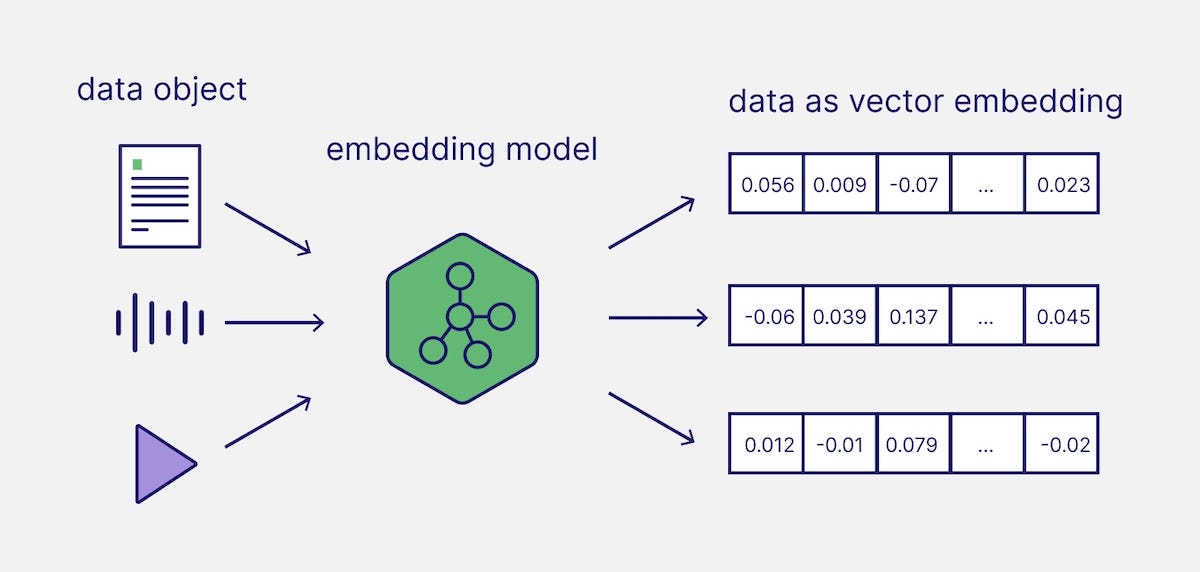
A flowchart explaining the process of embedding.
These numbers represent patterns in the text’s meaning. Texts with similar meanings tend to have vectors that are closer together in the model’s numerical space.
When a user asks a question, the system converts the question into a vector using the same embedding model. It then compares this vector with the vectors of the indexed document chunks to find those that are most similar in meaning.
Now if the user asks:
“Is money returned to customers subtracted from Net Revenue V2?”
And the documentation around Net Revenue V2 states the following:
“Customer refunds are deducted from gross sales in the Net Revenue V2 calculation.”
Semantic search can identify this similarity and retrieve the relevant passage, even though the wording doesn’t match exactly.
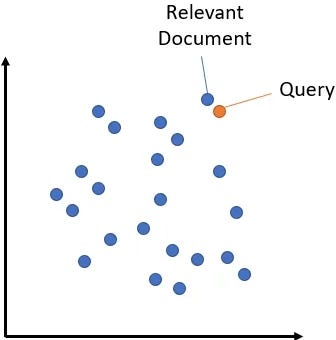
The diagram shows how the search matches queries closely to the information present in the relevant document.
While the wording differs, the semantic intent is equivalent.
The documentation refers to customer refunds, whereas the user refers to money returned to customers; both describe the same financial adjustment. As such, the user’s query aligns with the documented statement regarding the treatment of refunds within the Net Revenue V2 calculation.
Limitations of semantic search
Semantic search is excellent at finding information with a similar meaning, but that can sometimes be a drawback.
Imagine your documentation contains three metrics: Net Revenue V1, Net Revenue V2, and Net Revenue V3. Because they’re all related to revenue calculations, a semantic search may retrieve content from all three versions, even if the user is specifically asking about Net Revenue V2.
The problem is that similar doesn’t always mean the same. Each version may have different calculations, definitions, or business rules. So while the search results may seem relevant, they may not provide the exact answer the user needs.
In other words, semantic search is good at understanding intent, but it can sometimes struggle to distinguish between concepts that are closely related yet meaningfully different.
This highlights an important trade-off:
Keyword search can be more precise when exact terms matter.
Semantic search can be more flexible when users express the same idea in different ways, specifically around similar terminology.
But what if we combine our two approaches? What if you could get the best of both worlds?
This is where hybrid search comes into play.
How hybrid search works
Let’s say you ask:
“Does Net Revenue V2 deduct money returned to customers?”
The system looks for two things:
1. The exact metric: Net Revenue V2
Keyword search helps identify documents that specifically mention Net Revenue V2. This reduces the chance of pulling information about Net Revenue V1 or Net Revenue V3, which may have different definitions or calculation rules.
2. The meaning behind the question
Semantic search helps the system understand that “money returned to customers” means the same thing as “customer refunds”. So even if the documentation says “customer refunds are deducted”, the system can still recognize it as relevant to the user’s question.
By combining both approaches, hybrid search can find content that matches both the specific metric being asked about and the intent behind the question.
The result? A much better chance of retrieving the right information, even when the user’s wording doesn’t exactly match what’s written in the documentation.
In short: keyword search answers “Which metric are we talking about?” while semantic search answers “What does the user mean?” Hybrid search uses both signals to improve accuracy.
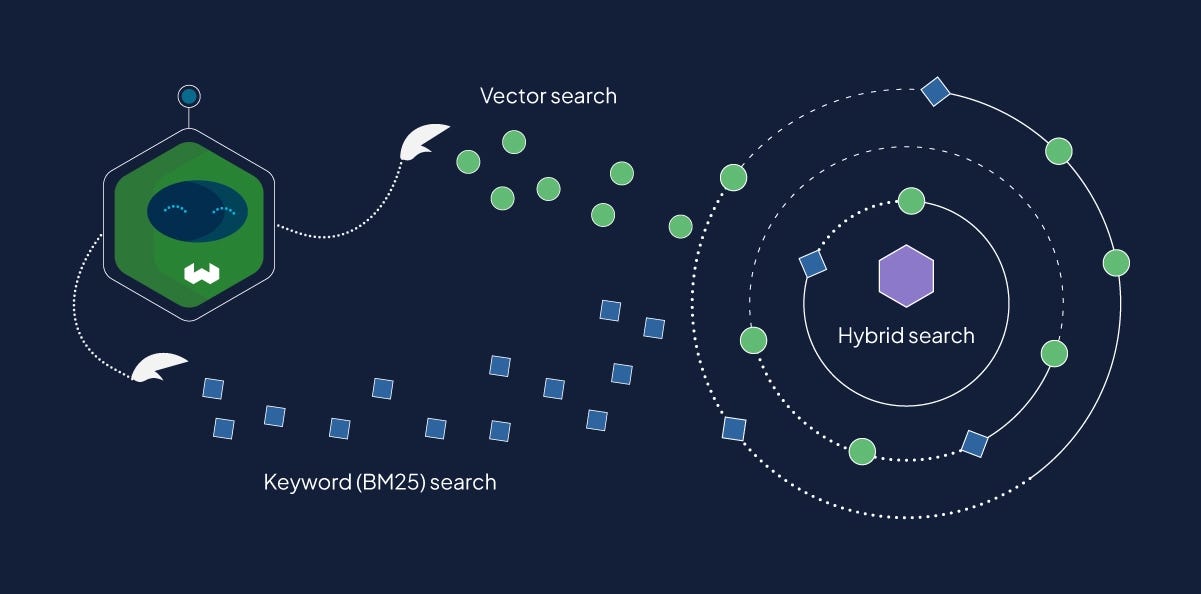
Visual representation of how Hybrid Search works
Regardless of which search approach is used, the goal is the same: to find the most relevant information to answer the user’s question.
But finding the information is only half the process. The system now needs to pass that information to the AI model so it can generate a response.
This brings us to the final step in how RAG works: Generation.
Step 5: Generate an answer
Once the system has retrieved the most relevant passages, it passes them to the AI model along with the user’s original question. These passages provide context, allowing the model to generate an answer based on the retrieved information rather than relying only on what it learned during training. This is the generation part of Retrieval-Augmented Generation (RAG).
Retrieval finds the relevant information, and generation turns that information into a useful response.
For example, if a user asks:
“Does Net Revenue V2 deduct money returned to customers?”
The system retrieves documentation containing:
“Net Revenue V2 = Gross Revenue − Customer Refunds − Discounts.”
Using that context, the model can generate the answer:
“Yes. Net Revenue V2 deducts customer refunds, which are payments returned to customers.”
Finally...
RAG doesn’t make a model smarter. It makes it better informed.
By retrieving the right information at the moment a question is asked, RAG gives the model access to your organization's latest definitions, documentation, and knowledge instead of forcing it to rely solely on static training data.
The model’s reasoning process remains the same. What changes is the information available to it. And that difference is often what separates a generic answer from one that can be traced back to a specific source and verified.
This is great representation of how RAG works. It ignites the thought of the best use cases of RAG. I appreciate the detailed explanantion !!